Application Keys
Bucketree can create, inspect and revoke B2 Application Keys without sending you to a browser. Press ⌘3, or choose Application Keys in the sidebar.
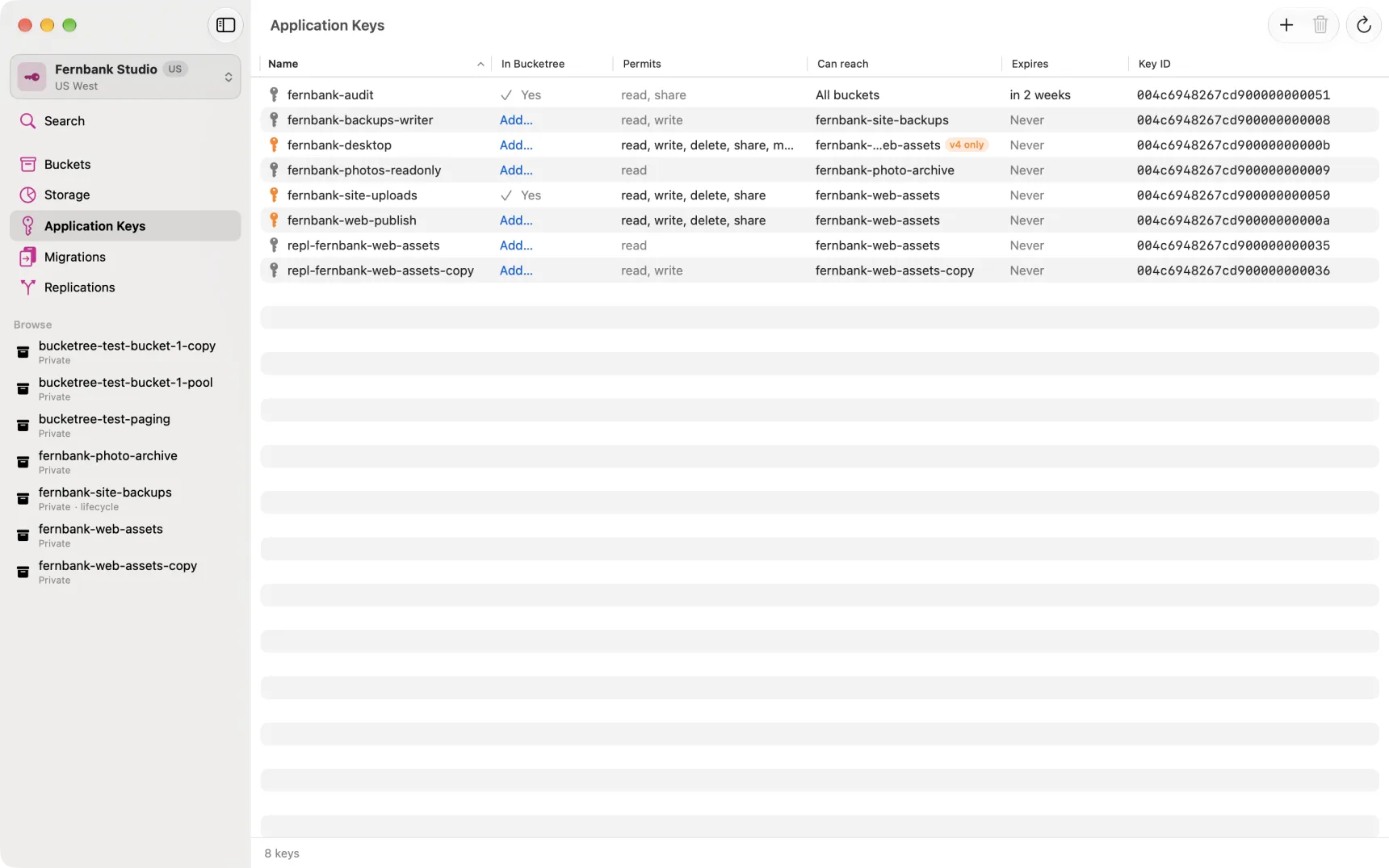
The pane lists every Application Key on the account, whether or not Bucketree can sign in with it. The In Bucketree column says which:
- In use: the key Bucketree is signed in with now.
- Yes: Bucketree holds its secret, so you can switch to it.
- Add…: Bucketree does not hold it. Click to add it, with the
applicationKeyyou were shown when the key was made. When Backblaze accepts it the sheet closes and the key's row is selected and marked Added.
Making a key
Account → New Application Key, or the + button.
Choose what it can do from four presets rather than ticking twenty-three capabilities:
| Preset | What it allows |
|---|---|
| Read only | Browse and download. Cannot upload, delete or change anything. |
| Read and write | The above, plus uploading and deleting files. |
| Full control | Everything, including managing buckets and other keys. |
| Custom | Choose each permission individually. |
Presets exist because a list of every capability, all equal, is how everyone ends up ticking all of them. The presets make the narrow choice the easy one, and full control is one of them when that is genuinely what you want.
Scope it to one bucket if it only needs one. A key that reaches every bucket, including buckets you make next year, is worth avoiding when it costs one click not to.
The secret is shown once
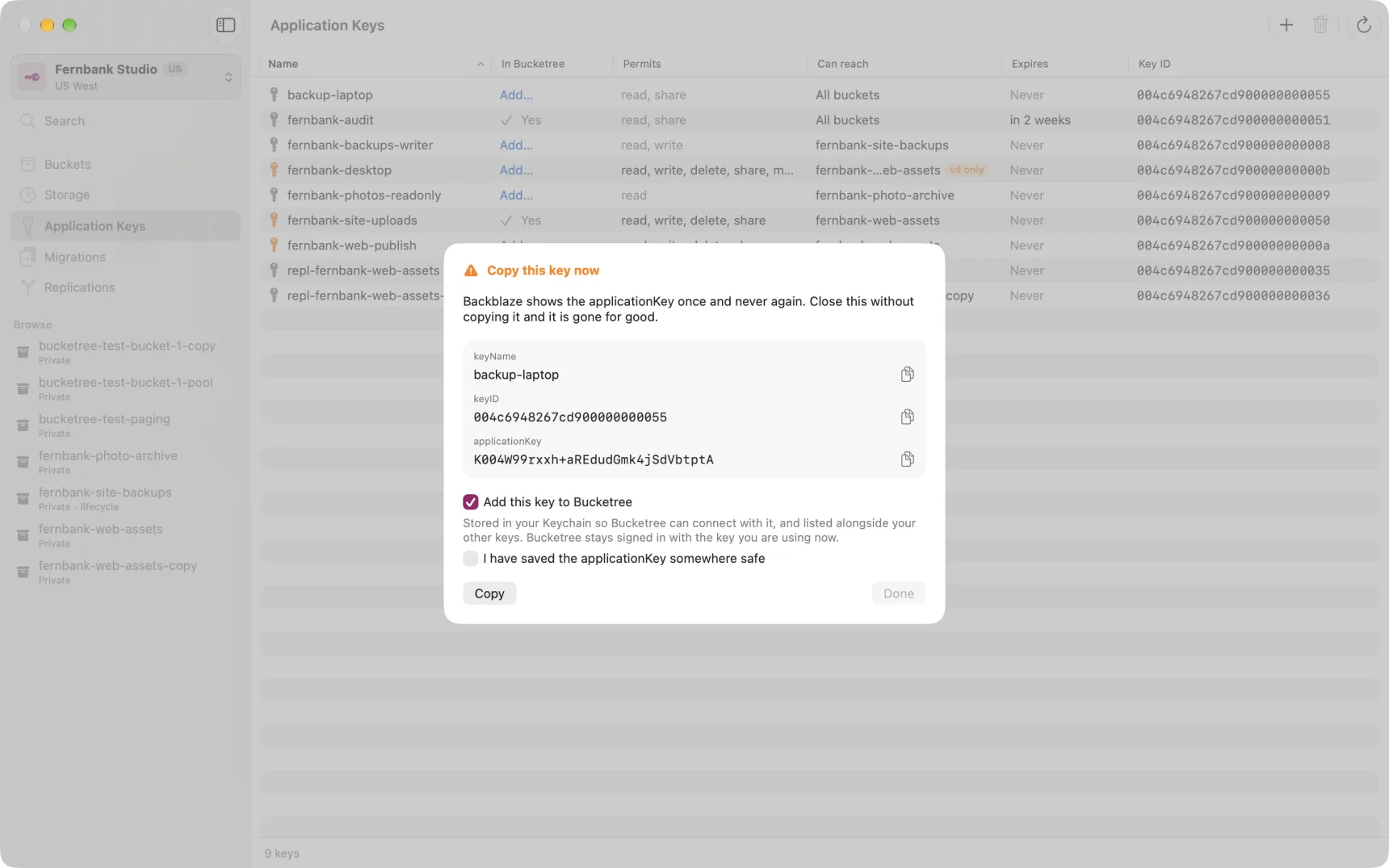
When B2 creates a key it returns the applicationKey exactly once. No listing
ever returns it again, and Bucketree cannot show it to you later: it stores the
key in order to use it, not in order to display it.
So the confirmation window will not let you leave until you have copied it or said plainly that you have saved it somewhere. If you lose it, the only remedy is to delete the key and make another.
A key that can create keys can grant anything
B2 lets any key with the Create keys permission make a new key with any permission at all, whatever the creating key holds itself. So a key that can create keys is as powerful as your Master Application Key. Keep it as safe.
The one limit is Backblaze's: a key scoped to particular buckets cannot manage keys or delete buckets. The form leaves those out and says so.
Key details
Select a key and press ⌘I, or double-click it. Every field B2 holds is there: what it permits in full, which buckets it can reach, any name prefix, an expiry if it has one, and whether Bucketree holds its secret.
B2 has no way to change a key. To grant more or less than it has, make a new one and delete this one.
Revoking
Select a key and press the trash button. It takes effect immediately, and anything still authenticating with that key stops working at once.
The key Bucketree is currently signed in with cannot be selected, so it cannot be deleted by accident.