When something goes wrong
Bucketree keeps an Activity Log of everything it does. ⇧⌘L, or Window → Activity Log. Every destructive action is recorded there, including the ones that failed.
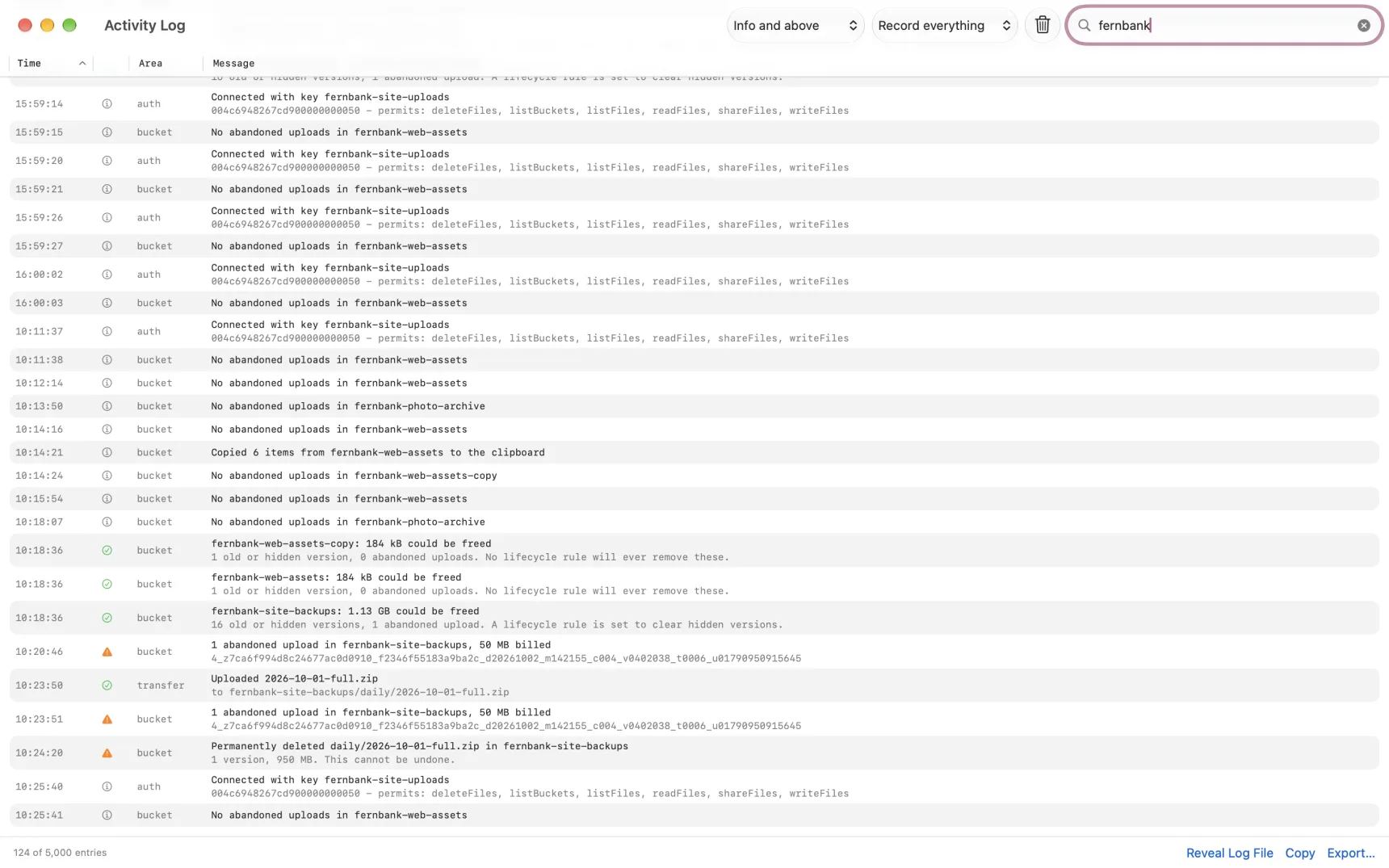
No credential is ever written to it.
Common B2 refusals, in plain words
"Cannot delete non-empty bucket" on a bucket that looks empty. B2 counts every version, including hide markers and unfinished uploads, and neither appears in an ordinary listing. Switch to All Versions and check the abandoned-uploads banner.
"Account has no payment history" when making a public bucket. New accounts cannot create public buckets until a payment has been made.
"The bucket is not file lock enabled" when setting a legal hold. Enable Object Lock on the bucket first.
"No tomes available", a 503 on upload. The storage pod behind your upload URL is busy. It is never your fault and Bucketree retries with a fresh upload URL and a growing wait. Large uploads survive it.
"This bucket changed while you were editing it". Someone or something altered the bucket after you opened its settings. Close and reopen the sheet so you are editing the current state rather than overwriting theirs.
A key that cannot see something
Where a permission is missing, Bucketree says which capability is needed rather than showing an empty result. If a field says the key cannot read it, that is not the same as the setting being off, and the app will not pretend it is.
Transfers that stopped
An interrupted large upload leaves parts on B2. Open the bucket: the banner offers Resume, which continues from what B2 already holds, or Cancel Upload, which discards the parts so you stop paying for them.
Getting the log out
Copy or Export at the bottom of the Activity Log window. The file it writes is plain JSON Lines, one entry per line.