Versions, and what they cost
Every upload to the same name creates a new version. Nothing removes the old ones unless you do, or unless a lifecycle rule does.
That means a bucket can hold far more than it appears to, and the parts you cannot see are charged at exactly the same rate as the parts you can.
The Storage view
Press ⌘2, or choose Storage in the sidebar. Select buckets and scan them.
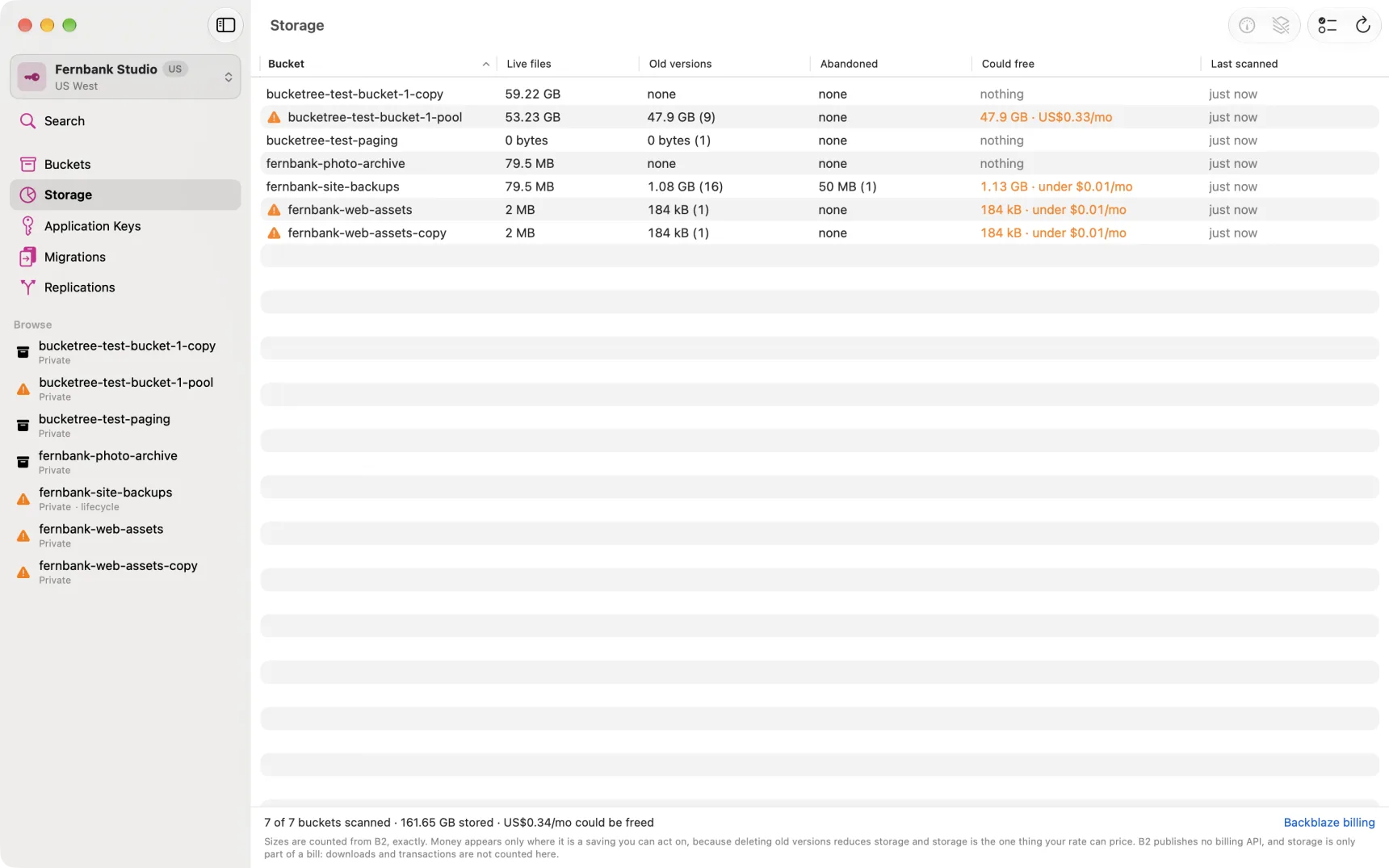
| Column | What it counts |
|---|---|
| Live files | The newest version of each name, which is what a normal listing shows |
| Old versions | Superseded and hidden versions, invisible in Current, billed the same |
| Abandoned | Large uploads that were started and never finished |
| Could free | What you would stop paying for by tidying up |
Scanning is opt-in per bucket because it walks every version, which is a listing call per thousand of them. Bucketree will not spend that on a question you did not ask.
Abandoned uploads
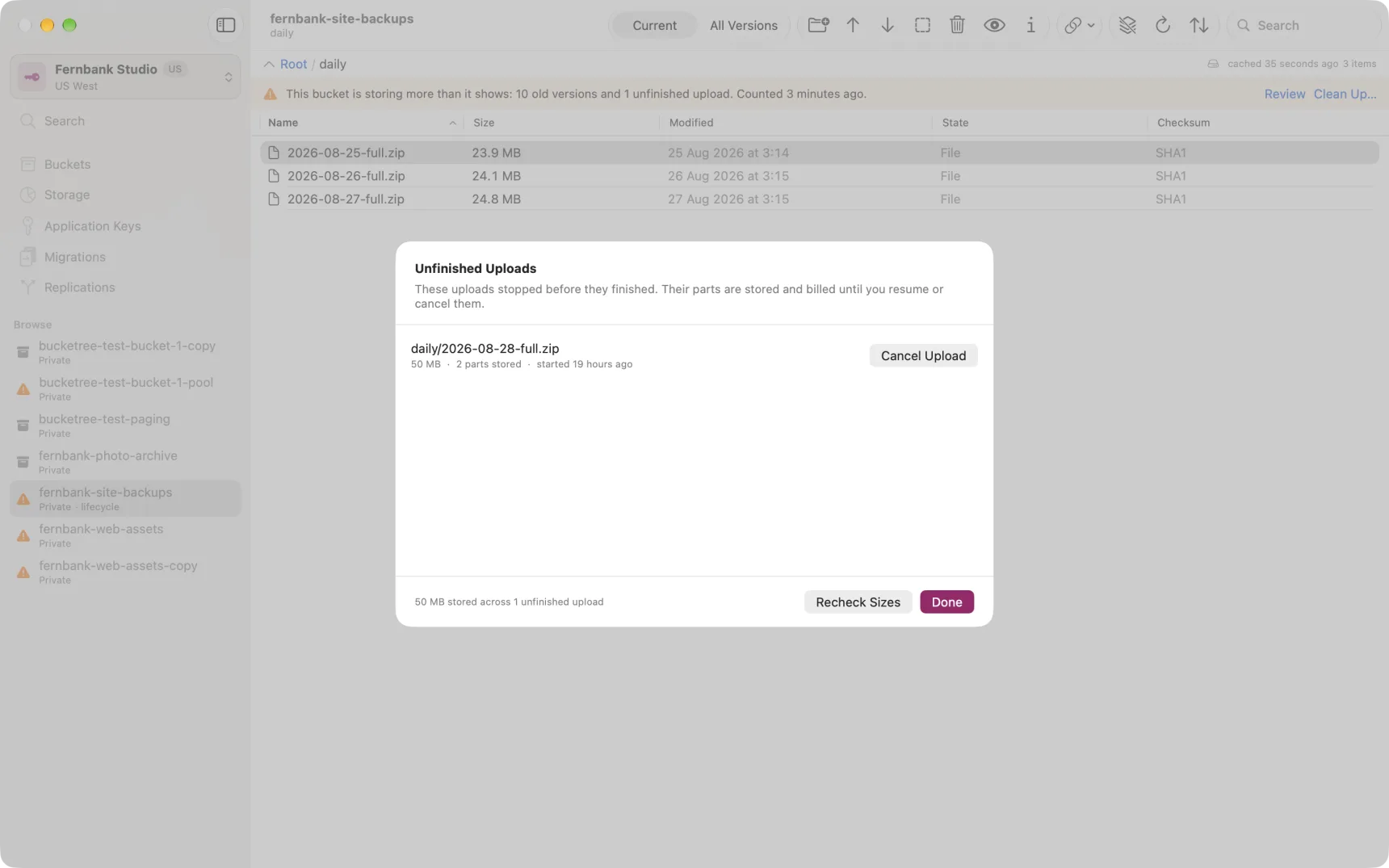
If a large upload is interrupted, B2 keeps the parts that arrived. They appear in no listing at all, ordinary or version, and they are billed until something cancels them.
Bucketree checks for them whenever you open a bucket and shows a banner. The sidebar marks the bucket too.
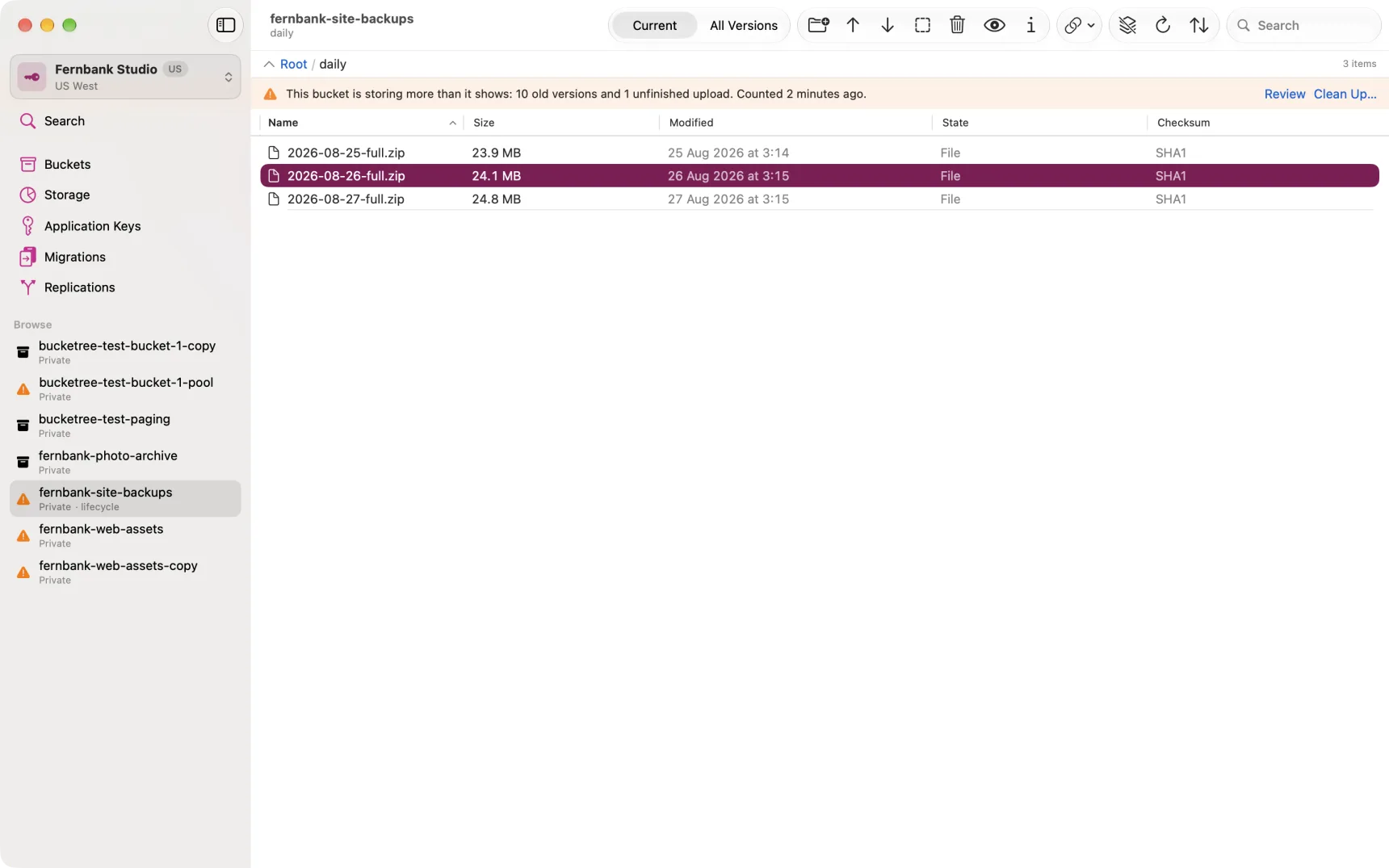
You can Resume an interrupted upload if the source file is still where it was, or Cancel Upload to discard the parts and stop paying for them.
What the warning marks mean
An orange triangle on a bucket, in the sidebar or the Buckets pane, means Bucketree looked and found something that costs money and nothing will ever clear it. Hover it for the detail.
No mark on an unscanned bucket means nothing at all. It has not been examined. The Last scanned column says so in words, and turns orange after an hour, because anything could have changed from another machine or from the B2 console in the meantime.
Cost figures
Bucketree counts bytes exactly, because it walks them. It does not know your bill: B2 has no API for it. The money figure is your own rate applied to real bytes, and the rate is a setting under Bucketree → Settings, defaulted to a published list price that may be out of date. Change it to whatever your invoice actually says.