Hiding is not deleting
This is the single most useful thing to understand about B2, and the thing most tools get wrong.
What "delete" does in most B2 tools
B2 keeps every version of every file. When most tools delete a file, they do not remove anything. They add a hide marker: a small record that says "as of now, this name has no current version".
The file disappears from the listing. Every byte of it is still stored, and still on your bill, forever, unless something else removes it.
What Bucketree does
Bucketree offers both, and names them for what they are.
| Action | What happens | Does it stop the billing |
|---|---|---|
| Hide | Adds a hide marker. The name leaves the Current listing. | No |
| Delete | Permanently removes every version of the name. | Yes |
| Delete Version | Permanently removes one version. | For that version |
| Unhide | Removes the hide marker, so the file comes back. | Not applicable |
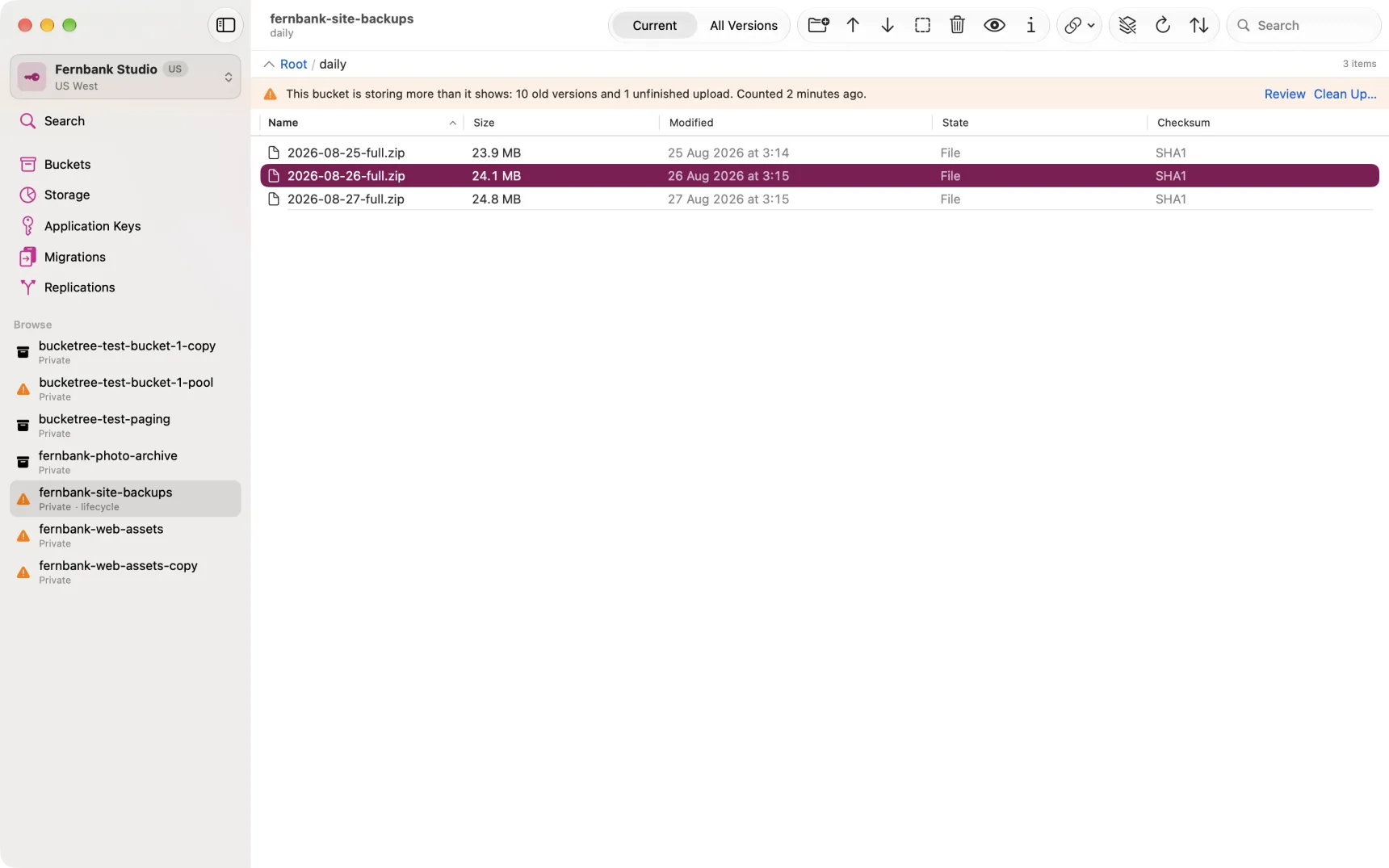
Deleting is the only action that stops you paying for the data, and it cannot be undone.
Finding what is hidden
Switch the listing from Current to All Versions. Hidden names come back into view with a dashed-square icon and their name struck through, and the State column says Hidden.
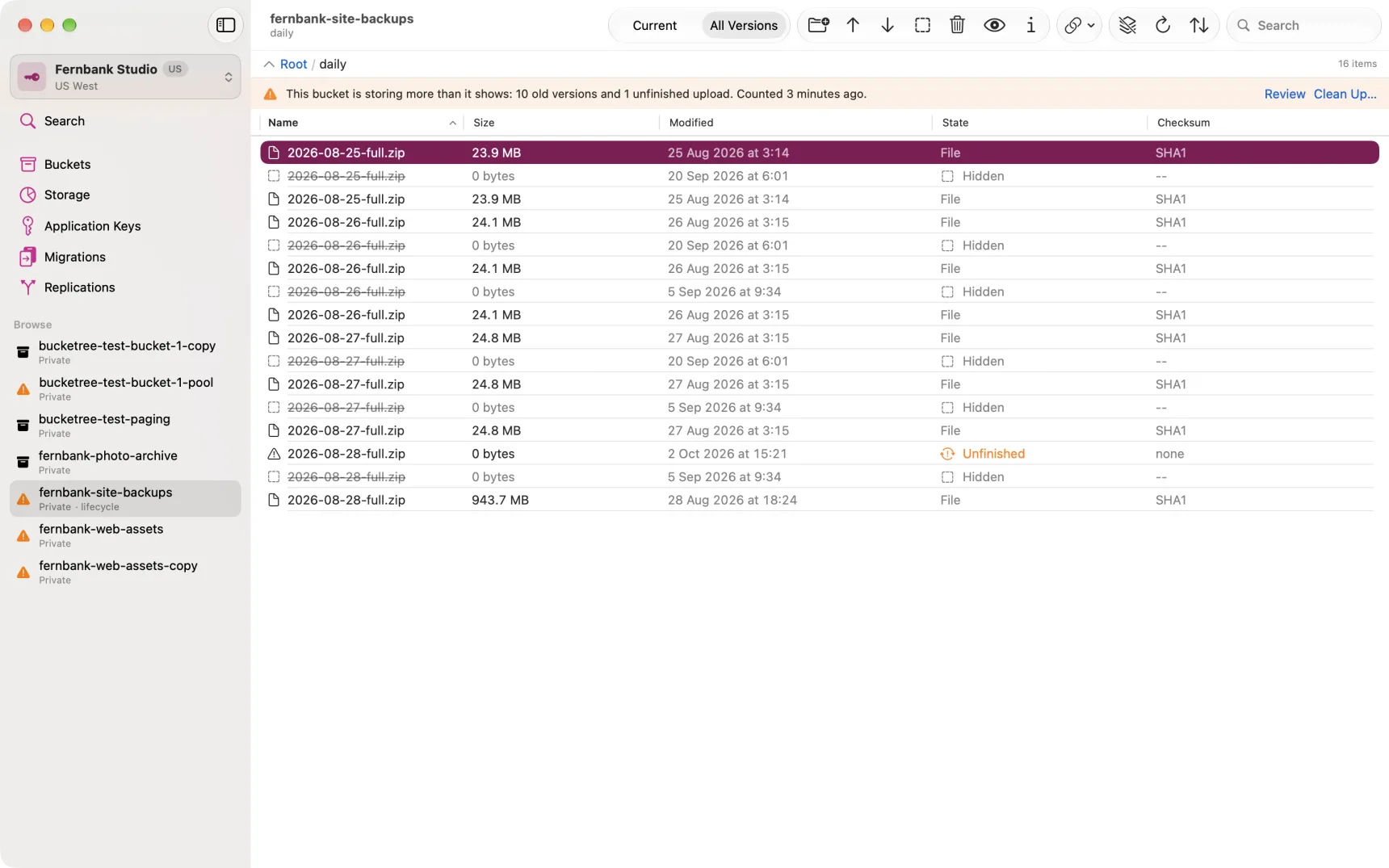
Select a hide marker and the toolbar offers Unhide, which removes the marker and brings the file back.
Deleting several files at once
Select them and choose Delete N Files. In the Current view that is every version of each file; in All Versions it is exactly the versions you selected, Delete N Versions. Bucketree counts what is selected first and shows the numbers, refuses before anything goes if a version is under retention or a legal hold, and can be stopped part way; what has gone by then cannot be brought back. A selection that mixes files and folders is not offered: delete the folder on its own.
Deleting a folder
Select a folder and choose Delete Folder, from the toolbar, the context menu or the Bucket menu. Bucketree counts everything under it first, every version of every file, hide markers and unfinished uploads included, and shows you the numbers before anything goes. Type the folder's name to confirm. Everything under it is permanently removed; the folder disappears because B2 has no folders, only names with slashes in them.
Deleting a bucket that still has files
The Backblaze console will not delete a bucket with anything in it, and neither will the API: every version has to go first. Bucketree does the whole thing as one operation. Select the bucket, choose Delete Bucket, and the sheet asks whether you want to delete it anyway, with a list of everything that goes: the versions, files and bytes, hide markers, unfinished uploads, and any Migration or Replication set up on the bucket with the keys it made. If you still want to, type the bucket's name and choose Delete Bucket. A bucket with tens of thousands of versions takes seconds; a million takes a few minutes, and the sheet says which before you confirm. Return does nothing in the name field; only the button deletes.
Two things stop it before it starts, and it says so rather than failing part way through: retention locks still in force, and legal holds. Backblaze will not delete those versions, so Bucketree will not begin. A Migration or Replication is not one of them: the operation removes it, rules, mapping and keys, the way its own pane would, before the first version goes. A rule set up outside Bucketree is removed from this bucket; the bucket at the other end keeps its half.
Deletes are free. The counting and the delete each cost one listing call per thousand versions, and the sheet states the number.
If you are signed in with the Master Application Key, Bucketree makes a temporary key that can only delete from that one bucket, uses it for the operation, and removes it afterwards. You will see it in the Application Keys pane while the delete runs. It expires on its own after a day if the app is quit before it is removed.
Why the app keeps saying this
Because the bill does. A bucket that has been "cleaned up" with a tool that only hides is a bucket that costs exactly what it did before, and nothing in an ordinary listing will ever tell you.