Deleting a bucket that is not empty
Backblaze refuses to delete a bucket with anything in it, including versions and hide markers you cannot see in an ordinary listing. Its own web console refuses too, and points you at a lifecycle rule that takes two days.
Bucketree does it in one operation.
What it does
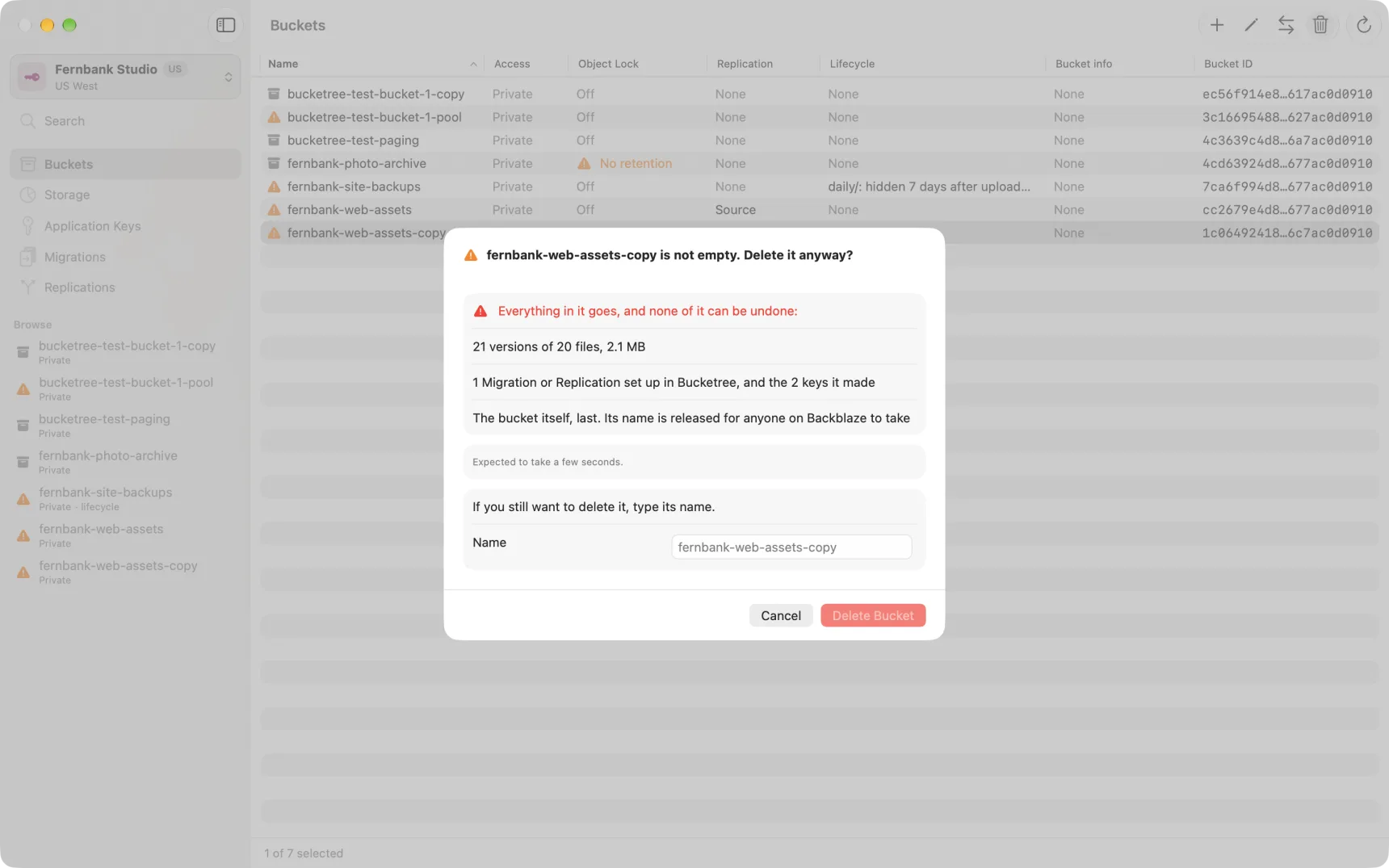
Select the bucket and choose Delete. Bucketree counts what is in it, tells you what will go, and does the whole thing: every version, every hide marker, every unfinished upload, and then the bucket.
The same applies to a folder. B2 has no folders, so what looks like one is a name prefix, and deleting it means deleting every file whose name begins that way. Bucketree says how many and how much.
Reading the confirmation
The heading is the question, and underneath is one list of everything that goes, with a count against each kind. Only lines with something on them appear.
One sentence is in red: none of it can be undone. That is the only red on the page, because it is the only thing on the page that cannot be reversed.
Then it asks you to type the bucket's name. That is the confirmation; there is no second "are you sure" afterwards, and the button stays inert until the name matches.
Things that are part of the job, not obstacles
A bucket can be the source or destination of a replication job, and it can hold keys Bucketree made for that job. Those are listed as part of what will happen, and Bucketree removes them. You do not have to go and dismantle the job first.
Unless the other end of the job is in another account. Deleting a bucket only ever changes the account you are signed in to. If a Migration or Replication reaches into another account, the list says so, and a line above the name suggests the better order: sign in with a key for that account, remove the job from Migrations or Replications there, and come back. You can delete anyway. Bucketree then removes its own account's half, the bucket goes, and the confirmation ends by naming what was left behind: a rule in the other account pointing at a bucket that no longer exists, which marks uploads there as failed until someone removes it with that account's key.
Things Backblaze will not let anyone delete
Two, and neither is something Bucketree can work around:
- files under a retention lock, until the lock expires
- files under a legal hold, until the hold is released
If either applies, nothing is deleted and Bucketree says which files and why. Release the hold in the file's own Get Info and try again.
How long it takes
It says before you start, from the count it just took. Deleting is quick; counting a bucket with a great many versions is the slow part, and both are shown as they go.