Bucket settings
Select a bucket and press ⌘I, or use Account → Edit Bucket.
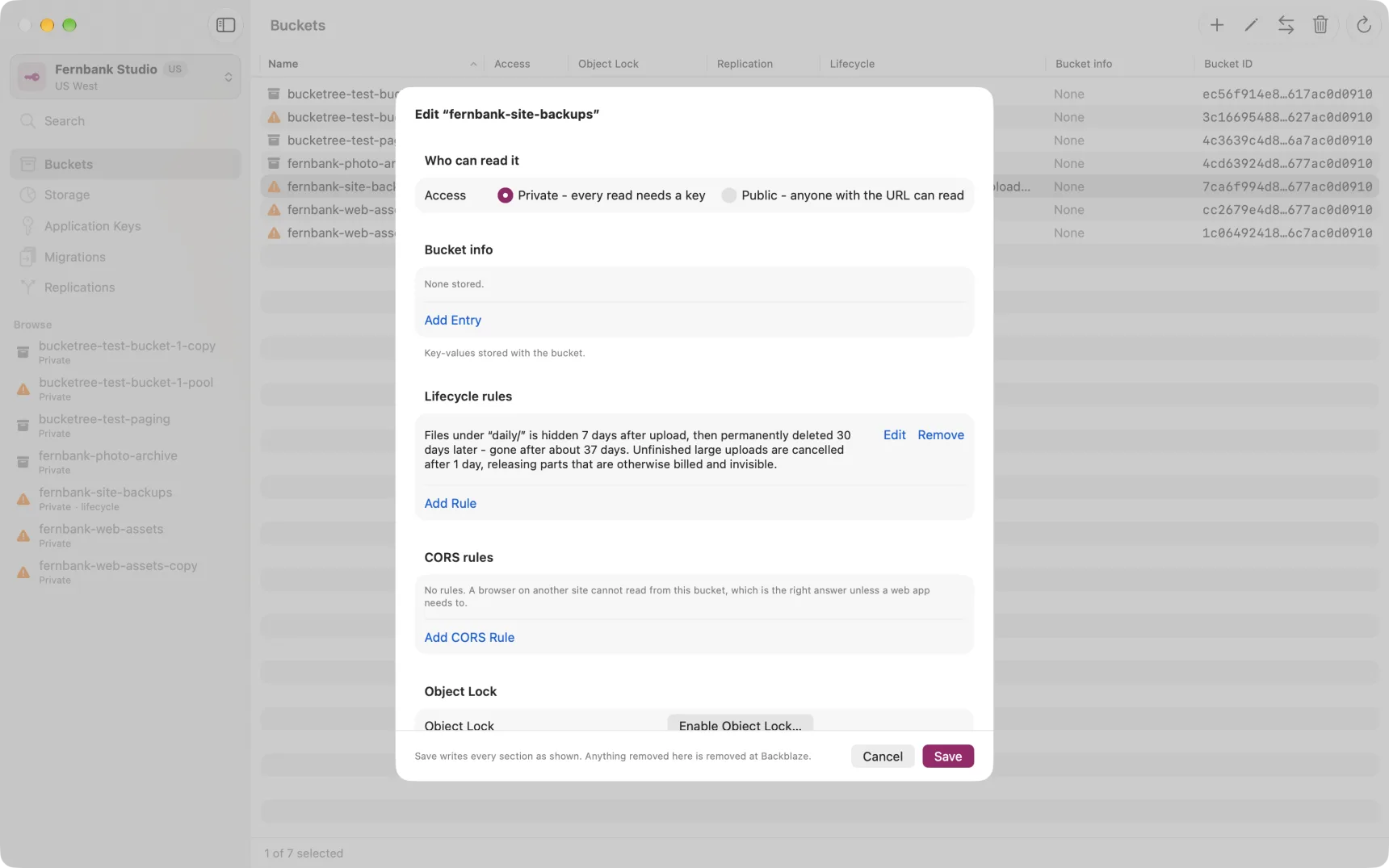
Everything in this sheet is saved together, and B2 is told which revision you started from. If someone else changed the bucket while you had it open, the save is refused and says so, rather than quietly overwriting their work.
Access
Private means every read needs a key. Public means anyone with a file's URL can read it, with no key at all. Public is the one that can cost you, so it is the one the app colours.
Bucket info
Arbitrary key-values stored with the bucket. Saving replaces the whole set, so anything you remove here is removed on B2.
Lifecycle rules
See Lifecycle rules and the two clocks.
CORS rules
Only needed if a web app in a browser reads from this bucket directly. If nothing does, leave it empty: that is the safe answer.
A rule names the origins allowed, and which operations they may perform.
The operations span two APIs, and this is the part people get wrong. B2 can be reached through its own native API and through an S3-compatible one. A rule that permits every native operation still blocks a browser talking to the S3 endpoint, and the error the browser reports will not tell you that. Bucketree groups the two families separately and says in plain words what the rule will actually allow.
An origin is a scheme, a host and a port, with no path. https://example.com,
not https://example.com/app. A page served from www.example.com is a
different origin from one served from example.com.
The two header lists, which do opposite things
Allowed headers is what the browser may send. Before sending anything
unusual across origins a browser asks B2 for permission first, and this is the
answer. A header not listed is blocked by the browser, and B2 never sees the
request. Uploads are where this bites, because a browser upload sends
X-Bz-File-Name, X-Bz-Content-Sha1 and Authorization.
Expose headers is what JavaScript may read back, and it is the one
people lose an afternoon to. A browser hides almost every response header from
scripts even when the request succeeded. Seven are readable whatever you set:
Cache-Control, Content-Language, Content-Length, Content-Type,
Expires, Last-Modified and Pragma. Everything B2 sends is outside that
set.
So with Expose headers set to None, a page can download a file perfectly
well and still read nothing back: not x-bz-file-id, so it cannot refer to the
version it just fetched; not x-bz-content-sha1, so it cannot check what it
received; not x-bz-info-src_last_modified_millis, so it cannot restore the
original date. Nothing reports this. The download works and the header is
simply absent.
Both lists default to None, and None is a real restriction rather than a setting nobody got to. List what the page actually needs.