Uploading and downloading
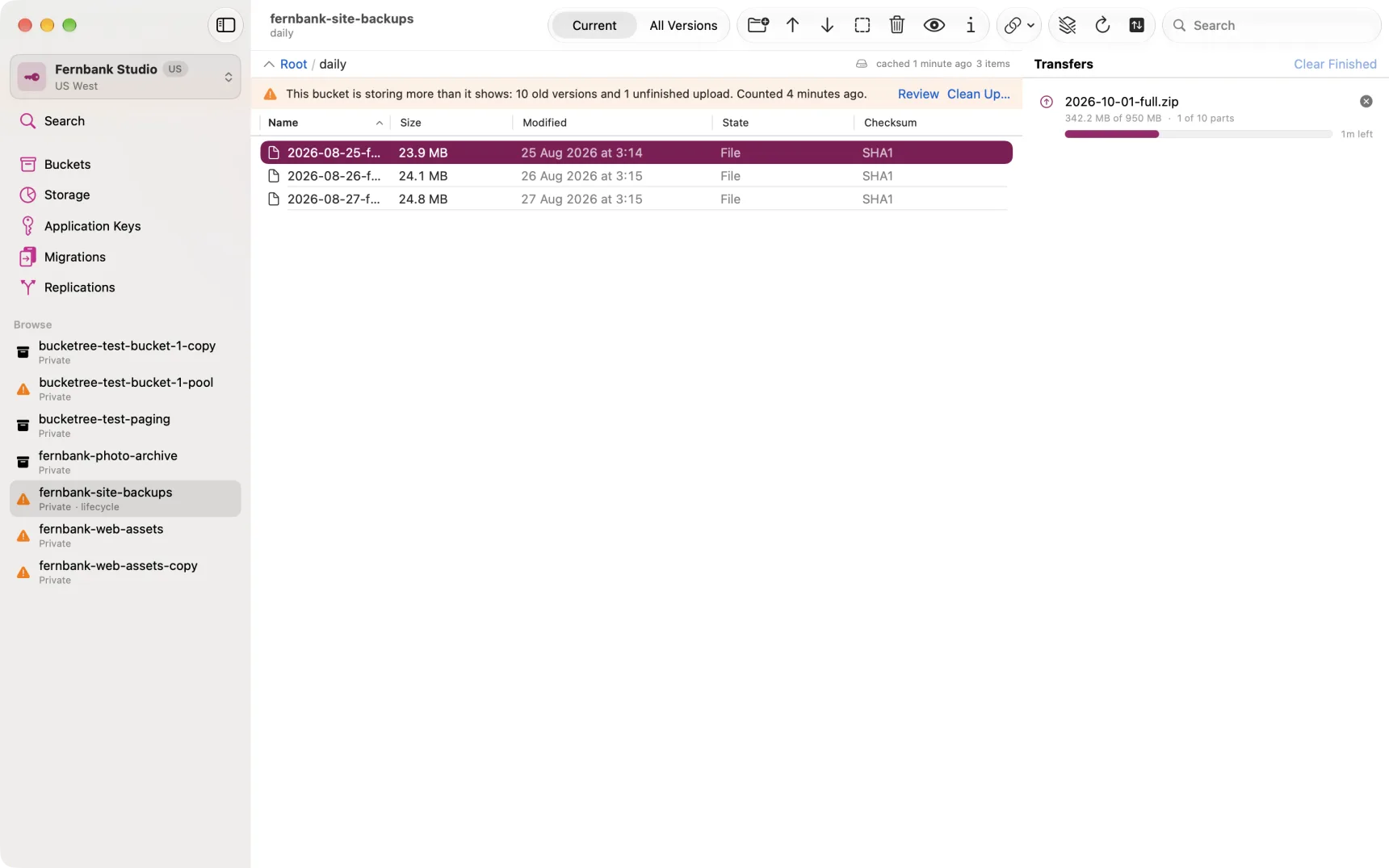
Uploading
Drag files onto the window, or press ⌘U.
Files over 100 MB are uploaded in parallel parts. If the transfer is interrupted, Bucketree can pick it up again from the parts B2 already holds: open the bucket and the abandoned-uploads banner offers Resume.
Folders upload as a tree of names, hidden files included, and one file failing does not stop the rest: the transfer row shows the folder, the Activity Log records each file, and the row says what failed at the end. Downloading a folder brings the same tree back.
Downloading
Select files or folders and press ⌘D, or double-click a single file.
A folder downloads with everything in it, as one row in the transfers panel, into a folder of the same name; the Activity Log records each file.
Downloads stream to disk rather than being held in memory, so file size is not a limit.
Checksums
Every upload carries a SHA1 that B2 checks on arrival, and large files carry a whole-file SHA1 as well. Every download is verified against it.
The distinction Bucketree draws, which matters: a download is reported as verified, or as not verified and why. It is never reported as fine when nothing was checked. A file uploaded by another tool may carry no whole-file checksum at all, in which case Bucketree says so rather than implying success.
The Checksum column in the listing shows whether a file can be verified at all. Get Info shows the value and which of the two it is.
Whole-file checksums on upload
Recording a whole-file SHA1 means reading the file once before the upload starts. On a large file that is not free: about a minute for five gigabytes, limited by your disk rather than by the hashing.
It is on by default and can be turned off in Settings. B2 has no way to add it afterwards, so it is that one read or nothing.